Overview

Serial Port Redirector is a software that provides access to remote serial devices over TCP/IP network. The program creates virtual COM ports and redirects all data and signals written to the port to the remote host with specified IP-address and TCP port.
How it works

In most cases, Serial Port Redirector acts as a client for getting access to remote serial devices. For this purpose the program creates virtual COM ports on the local side. The virtual serial port is configured for connection to specified IP-address and TCP port of the remote side. As soon as communications software opens local virtual COM port, connection with the remote side is established.
Hardware Serial Device Server usually serves as a remote side. It accepts incoming network connection from the Serial Port Redirector and redirects both the data stream and control signals to a plugged serial device.
Support of RFC2217 (Telnet COM port control option)

Serial Port Redirector supports RFC2217 (Telnet COM Port Control) protocol for communication with remote side. RFC2217 is a standard client-server protocol that enables you to connect to any Serial Device Server.
True emulation of the remote serial port
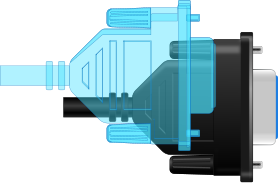
The program fully emulates physical COM ports. Virtual COM ports are accepted by communications software on the local computer as hardware ports.
Predefined custom commands on port opening/closing

Serial Port Redirector allows you to preconfigure initialization commands and other custom data for specified COM ports. Predefined custom commands on port opening/closing could be required for correct functioning of some serial devices.
Works as system service

The program makes virtual serial ports accessible at every system start even prior to user's logon. It means that virtual serial ports are created automatically and you don't have to adjust anything or even login to operating system.
SSL security

Secure Sockets Layer (SSL) protects your private information and keeps your data highway safe. The information in SSL-protected data channel will be secure during the transmission process.
Acts as Serial Device Server (Server Mode support)

Serial Port Redirector can work as a server of physical and virtual COM ports on remote side. It means that you can turn any standard computer into a fully featured COM Port Server without buying specific hardware.
Usage examples

Serial Port Redirector can be used to access remote serial devices connected to serial device servers. Also you can use the program to connect usual serial communications software with TCP/IP software.

What customers say
As a reseller of the Nexus Hawk, I feel that it is important for me to be able to give the end users a complete solution. For this reason, I recommend that our customers obtain Serial Port Redirector.

OEM license available
Serial Port Redirector functionality can be easily integrated into your application. So you can access to remote serial devices from your application directly. Read more…

And even more…
- Unlimited number of virtual serial ports can be created simultaneously on a single computer.
- Raw data transmission support.
- Fixed COM port settings for virtual COM port.
- Overlapped virtual COM ports support (virtual serial ports can have the same names as existing physical COM ports).
- Broken network connection recovery (auto-reconnect).
- Cache data when network connection is broken.
- Mixed 32 and 64-bit environment.
- Virtual serial ports configuration via Windows Device Manager.
- Compatibility with PnP and WMI technologies.
- Works with any virtual machines.
- Hot virtual serial port creation and removal, without reboot.
Additional information
More details at Serial Port Redirector pageOS: Windows
Latest version: 3.0.3 released on 15/10/2025
Price: $
Rating: 4.8
(3 reviews)