Overview
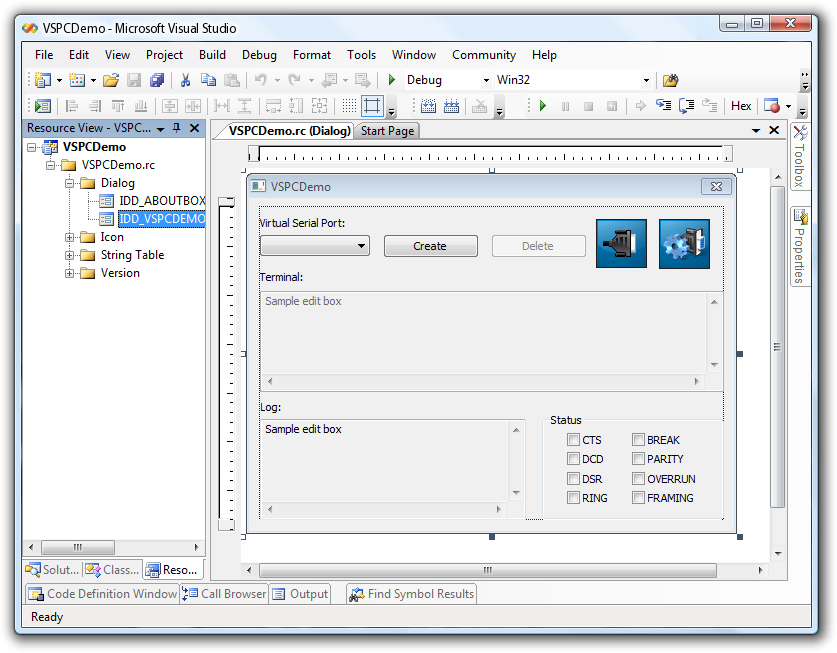
Virtual Serial Port Control is a powerful software developer kit (SDK) which makes it possible to create virtual serial ports and fully control them. It is extremely useful when creating serial device emulators or when necessary to add new logic to existing legacy serial communications application.
Virtual serial ports appear in operating system as usual hardware COM ports, so serial communications applications operate with them as if they were real hardware serial ports.
From the other side, your program using developer API gets all the data written to the virtual serial port by communications application. Then your application may respond with your own data which will be read by the communications application from the virtual serial port the same way like it read from a physical port.
SDK

Virtual Serial Port API is presented in the following forms:
- Dynamic Link Library
- ActiveX
- .NET Component
The SDK comes with complete documentation, source code examples and components for integration into third-party installers.
Events driven architecture

The event driven architecture is a soft snap. You don't have to check ports periodically in order to find whether signals has been changed or new data is available for reading from the virtual serial port. Just define the needed routine in your code that will be triggered automatically by the appropriate event and that will process the data.
At the same time the Virtual Serial Port Control immediately notifies your application about any actions done to the serial port by the communications application (port opening/closing, setting DTR/RTS handshake, baudrate settings, XON/XOFF settings, etc.).
Complete control of serial ports

The API provides a developer with full control over virtual serial port. The API in conjunction with virtual serial port can do as much as physical serial device in conjunction with a real serial port. The solution communicates with a virtual serial port in the same way as a serial device communicates with a physical serial port.

What Customers Say
Ease of use and the affordable price makes choosing the Virtual Serial Port Control OEM very attractive.

OEM License
The solution is available in form of one time OEM license. It means that once purchased it can be integrated into your own project and redistributed without any royalties.

And Even More…
- Virtual serial ports look and work like real hardware ports.
- Serial data bitrate (transmission speed) emulation.
- Unlimited number of virtual COM port pairs can be created.
- Overlapped virtual COM ports support (virtual serial ports can have the same names as existing physical COM ports).
- Powerful and intuitive interface to make serial port communications easy.
- Mixed 32 and 64-bit environment.
- Compatibility with PnP and WMI technologies.
- Works with any virtual machines.
Additional Information
More details at Virtual Serial Port Control pageOS: Windows, Version: 3.6
Price: $
Rating: 4.8
(3 reviews)