Overview
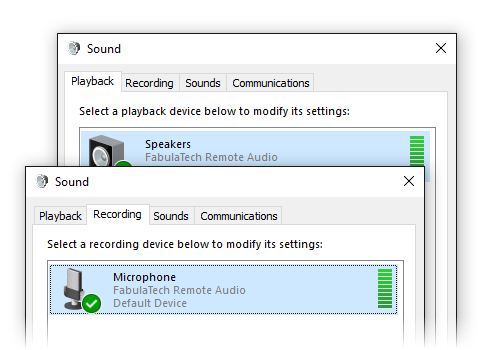
Sound for Remote Desktop is a reliable software solution that enables two-way sound connection between a local workstation and a remote desktop session.
In standard situations, two-way sound stream in a remote desktop environment is problematic or even impossible for such applications as Microsoft Teams, Skype, Zoom, etc. DirectSound applications do not natively support audio input/output functionality in remote desktop environment, thus there is no possibility to use a microphone in remote session.
Sound for Remote Desktop allows to transfer audio stream with low latency and high sampling rate to remote Windows session, with no cut-offs or choppy sound.
How it works
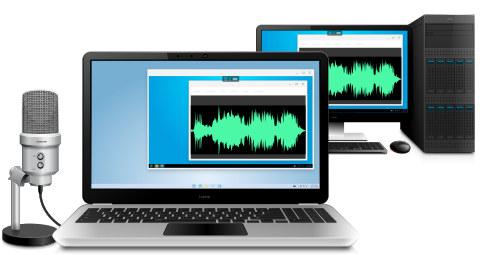
Sound for Remote Desktop is extremely easy to use. The solution consists of two parts: Workstation and Server. The Workstation part should be installed on the local workstation and the Server part goes to the remote server you are logging to.
As soon as both parts are installed, sound stream is transferred automatically every time you are logging in to your remote desktop. Audio software running on the remote side will be able to receive input audio as if the microphone, headset or other audio equipment were plugged directly into the remote machine. And the output audio will be played back from the remote session to your local headphones or speakers.
Audio stream isolation
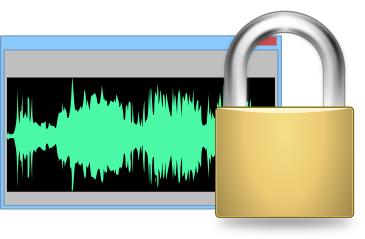
In case of multi-user environment (Windows Server OS), if there is more than one user logged in to the remote side, you can be sure that each sound device is isolated within its individual session so you don't need to worry that somebody else will hear your incoming or outgoing audio stream. You don't need to scan through the list of input/output devices of other users to find your microphone or headphones. Such isolation allows you to work with your audio stream exclusively.
Supports any sound input or output devices
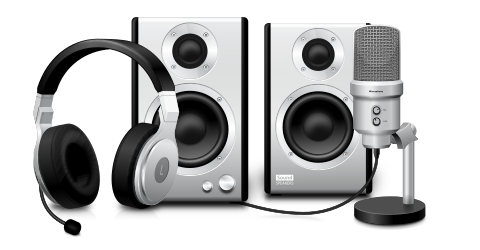
All types of sound devices are supported. It does not matter if the headset or microphone is USB or 3.5 mm jack. It’s not needed to have some special type of sound input/output device or adapt an existing one. Any headset or a microphone will work fine.
Remote desktop protocols

Sound for Remote Desktop supports different remote desktop protocols including Microsoft RDP, Citrix ICA, Amazon WSP, NICE DCV, Omnissa (VMware) Blast, and Teradici PCoIP. It does not matter what environment is used (Remote Desktop Services, Microsoft Azure, Windows 365, Citrix Virtual Apps and Desktops, Omnissa (VMware) Horizon, Amazon Workspaces, AppStream 2.0 and others). Any compatible Client software is used for accessing remote side.
All your data is secure
Sound for Remote Desktop transfers the data directly only between Workstation and Server program parts, that are installed on your computers. It doesn't connect to FabulaTech or any third-party servers. The only exception is optional checking for new versions, therefore it is fully functional even without Internet access.
Connection between Workstation and Server is established using virtual channels as a part of remote desktop protocols. So the security level of the solution is the same as you have already set for ordinary remote desktop connection.
Double hop session support

You can connect from your workstation to remote Server 1. And then initiate a connection to another Server 2 session from Server 1. The device will be accessible on Server 2 without any additional configurations.
What about other OS?

If you are looking for solution for Linux or macOS you have already found it. Sound for Remote Desktop works perfectly in macOS and most distributions of Linux operating system. The list of compatible Remote Desktop clients is growing continuously.

Real two-way Sound for Remote Desktop
Sound for Remote Desktop provides with two-way sound stream in remote desktop session. Now you can use microphones, headphones or speakers in your remote desktop environment.

Full DirectSound compatibility
With Sound for Remote Desktop no such limits are set. Work with any sound and dictation software. Use Skype, Lync, NetMeeting without any headache in your remote desktop session hassle-free.

High-quality sound transfer
Do you still have problems with sound redirection to your remote session and sound quality? Now this problem is solved. Thanks to progressive technology of audio decoding the sound quality is maintained.

OEM License Benefits
Sound for Remote Desktop functionality can be easily integrated into your application. So you allow terminal server users to access local headsets and microphones in remote Windows session. Read more…

Audio streams with low-latency
Sound for Remote Desktop provides you with low-latency audio streams so that you can work in real time. High-quality sound connection with no cut-offs or jerky sound is ensured.

Works with different environments
It doesn't matter what kind of environment is used. The solution works fine with both multi-user and single-user environments. It’s possible to use PCs or virtual machines (VMware ESXi, Microsoft Hyper-V, Citrix XenServer, VirtualBox or any other). Sound for Remote Desktop works perfectly with all of them.

What Customers Say
It does not require any complex configuration. I installed it, restarted session and got remote sound. Great tool! So if you need audio support in remote session, it's the right solution.

And Even More…
- Works with any virtual machines.
- Mixed 32 and 64-bit environment.
Additional Information
More details at Sound for Remote Desktop pageOS: Windows, Linux, macOS, Version: 4.2.12
Price: $
Rating: 5
(1 review)
Try Something Bigger
We're reinventing our device redirection software to offer you even more rich user experience while working in remote desktop environment.
Device Redirector is a combined solution allowing you to redirect almost every device to remote desktop session. Learn more about it's benefits and new features.