Post-install procedures for Microsoft AVD (msrdcw)
Sign in to Azure at https://portal.azure.com/. Enter "Azure Virtual Desktop" into the search bar. Under Services, select Azure Virtual Desktop.
At the Azure Virtual Desktop page, select Host pools in the menu on the left side of the screen. Then, select the name of the host pool you want to update.
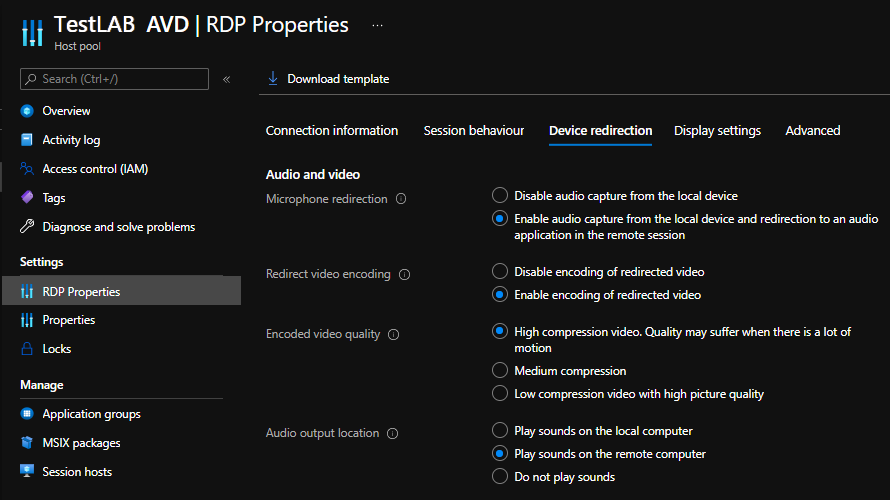
Select RDP Properties in the menu on the left side of the screen and set Play Sound on the Remote Computer property. Finally hit to apply your changes.