Product overview
Overview
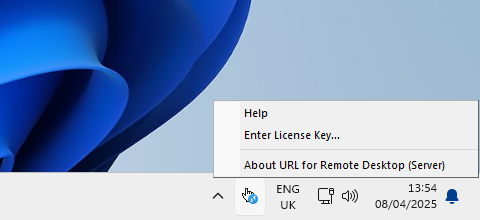
URL for Remote Desktop is a handy software tool that allows URLs embedded as hyperlinks in applications running in a remote desktop session to open using the corresponding application on the local machine or thin client. Simply click the link in the remote session, and it will open in your local browser.
The product may be useful for various remote productivity scenarios, helping to overcome networking or security restrictions or to establish new ones.
How it works
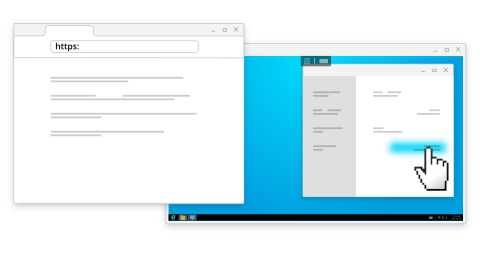
URL for Remote Desktop consists of two parts. The Workstation part is to be installed on the local computer. The Server part goes to the remote side where link clicks should be intercepted.
Now, every time you click any link in the remote desktop session, your default browser will pop-up with the requested URL on the local machine.
HTTP / HTTPS link redirection
HTTP and HTTPS links opened inside a remote desktop or application are automatically redirected to the user’s local workstation and opened in the local web browser. This is especially useful when a website is accessible only from the local network and cannot be reached from the remote environment. By rendering web pages locally, this feature also reduces CPU, memory, and bandwidth usage on the remote desktop, resulting in a smoother overall experience.
Custom protocol link redirection
Custom protocols are application-specific URL schemes registered in the operating system and associated with installed applications (for example, msteams:// or zoomus://). Unlike standard web links, these protocols are used to launch a specific application or trigger a defined action.
When a custom protocol link is opened inside a remote desktop or application, it is redirected to the user’s local workstation. The operating system then launches the locally installed application associated with that protocol, ensuring the action is handled on the local computer rather than in the remote environment. This delivers better compatibility, improved performance, and a seamless user experience.
Local application document opening
This feature allows documents opened inside a remote desktop or application to be handled by applications installed on the user’s local workstation. When a user opens a document in the remote environment, the file is redirected to the local PC and launched using the associated local application, such as Microsoft Word, Excel, or a PDF viewer. This enables users to work with documents using familiar tools while benefiting from better performance and full access to local application features.
By keeping document handling on the local machine, this approach reduces resource usage on the remote desktop and provides a more natural, desktop-like user experience.
More features
- Only app-to-browser URLs are redirected—links opened within the remote browser stay there, ensuring a smooth browsing experience.
- No third-party servers involved—links are redirected directly from the remote session to your local machine.
- Available for Windows and macOS (Workstation side).
Remote desktop protocols in different environments
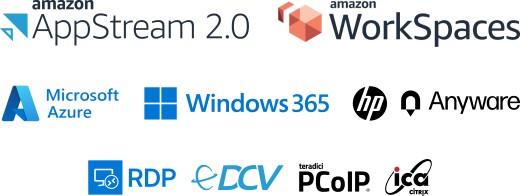
URL for Remote Desktop supports different remote desktop protocols including Microsoft RDP, Citrix ICA, Amazon DCV (WSP), Omnissa (VMware) Blast, and Teradici PCoIP.
Any compatible Client software can be used for accessing remote side. And there is no need to change firewall settings.