Setting Up Monitoring Filters
USB Monitor Pro allows you to setup monitoring filters. It helps you to limit the size of captured data to concentrate on the most important information.
Moreover, it allows you to save main memory especially when you monitor the USB device which transfers large amount of data (e.g. web-cam, flash disks, etc.).
To setup monitoring filters, in "Choose USB Device for Monitoring" window, click button.
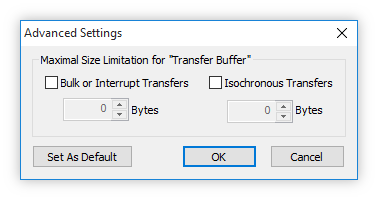
In appeared window, you can limit the size of captured information for URB packets carrying data (Bulk or Interrupt Transfer and Isochronous Transfer).
By default the size of captured information for URB packets carrying data is unlimited.
You can save filters current configuration to use it later by default clicking button. All next sessions will use this filters configuration.
In any case, while monitoring, you can hide/unhide needed types of packets using Showing Filters.