Configuring Client Virtual Port
Select virtual serial port and click the
 button.
Bitrate Emulation
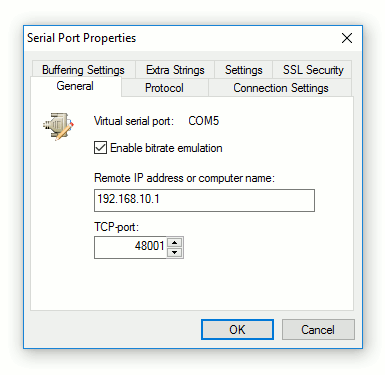
By enabling bitrate emulation, you limit data transmission speed to the limit specified by communications application (using Baud Rate setting). If bitrate emulation is disabled, transmission speed depends on bandwidth of the network connection.
Protocol
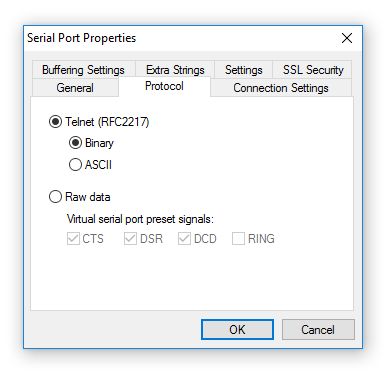
Serial Port Redirector uses Telnet protocol (with the COM Port Control protocol specified by RFC 2217) and Raw data protocol (raw TCP connection) to transfer data.
- Binary
- Allows to send any binary data.
- ASCII
- Uses NVT-compatible mode
Note: You can Configure serial port control signals for Raw data protocol. Selected signals will be preset for selected serial port.
Connection Settings
As soon as communications application opens virtual serial port, Serial Port Redirector tries to connect to remote computer. There is also a possibility to set up behavior of Serial Port Redirector network connection.
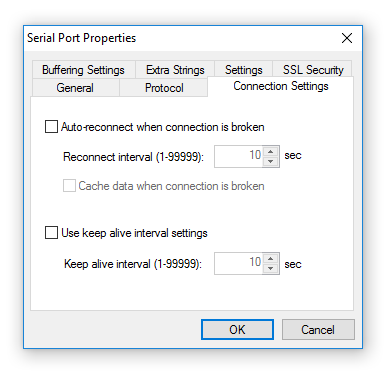
- Reconnect interval
- Specifies period of time (in seconds) used when connection is lost or connection with remote computer cannot be established.
Serial Port Redirector will try to reconnect to remote computer periodically on the expiration of this time.
- Auto-reconnect when connection is broken is enabled
- Communications applications successfully opens virtual serial port, even if there is still no connection with the remote side.
- Auto-reconnect when connection is broken is enabled
- Communications application will open virtual COM port as soon as connection is established.
If connection cannot be established, it is considered as "broken" and virtual serial port will not be opened by communications application.
- Cache data when connection is broken
- Prevents data loss when connection is broken.
- Use keep alive interval settings
- If enabled, a keep-alive message is sent to server port to prevent client-server link from being broken (necessary for some hardware serial-to-ethernet devices).
- Keep alive interval
- Interval (in seconds) between two keep-alive messages.
Buffering Settings
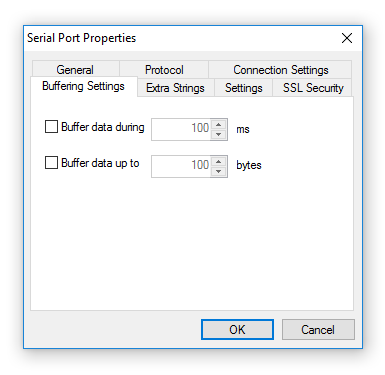
- Buffer data during
- This option enables data accumulation during specified time period before sending data to the network. So the data that comes during specified time period will be sent to network by a single packet. Data accumulation time period is specified in milliseconds.
- Buffer data up to
- Enables accumulation of specified amount of data before sending it to the network. The buffer size is specified in bytes. If the Buffer data during ____ ms option is not specified, the data will be sent to the network after the default time delay 100ms regardless of the number of the bytes buffered.
When both Buffer data during ____ ms and Buffer data up to ____ bytes options are specified, the data will be sent when the first threshold will be reached.
Extra Strings
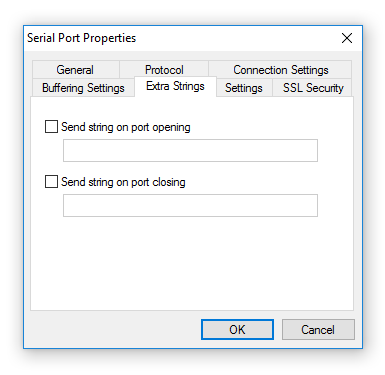
- Send string on port opening
- Every time when communications application opens virtual serial port, the specified sequence will be sent to the remote side.
- Send string on port closing
- Every time when communications application closes virtual serial port, the specified sequence will be sent to the remote side.
Extra String's Syntax: \r - CR character, \n - LF character, \d - 1 second delay, \\ - slash character.
Fixed Port Settings
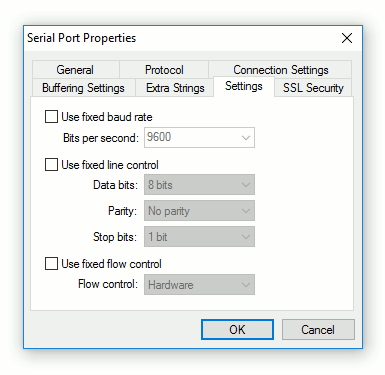
There are some communications applications that open COM ports with "hard-coded" port settings (e.g. bits per second or flow control) and there is no standard way to change these settings. If a serial device uses other settings, this may lead to incorrect working of the whole system. In such case you can use fixed COM port settings to override settings used by communications application.
SSL Security
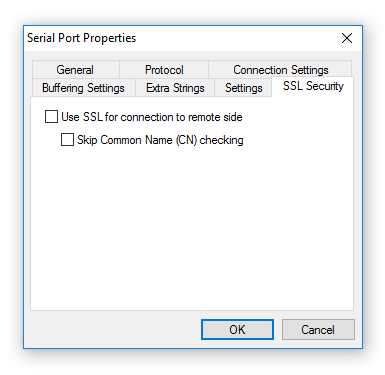
- Use SSL for connection to remote side
- Enables encryption mode for specified virtual serial port. It will use global SSL settings from Client Port SSL preferences.
- Skip Common Name (CN) checking
- Disables check for matching server's address to CN certificate field.